Tkinter Designer
Tkinter is the GUI library that ships with Python. MatDeck's designer places Tkinter and CustomTkinter widgets on a form and writes the Python that builds them. You drag the control, set the options, and the matching code stays with the form.
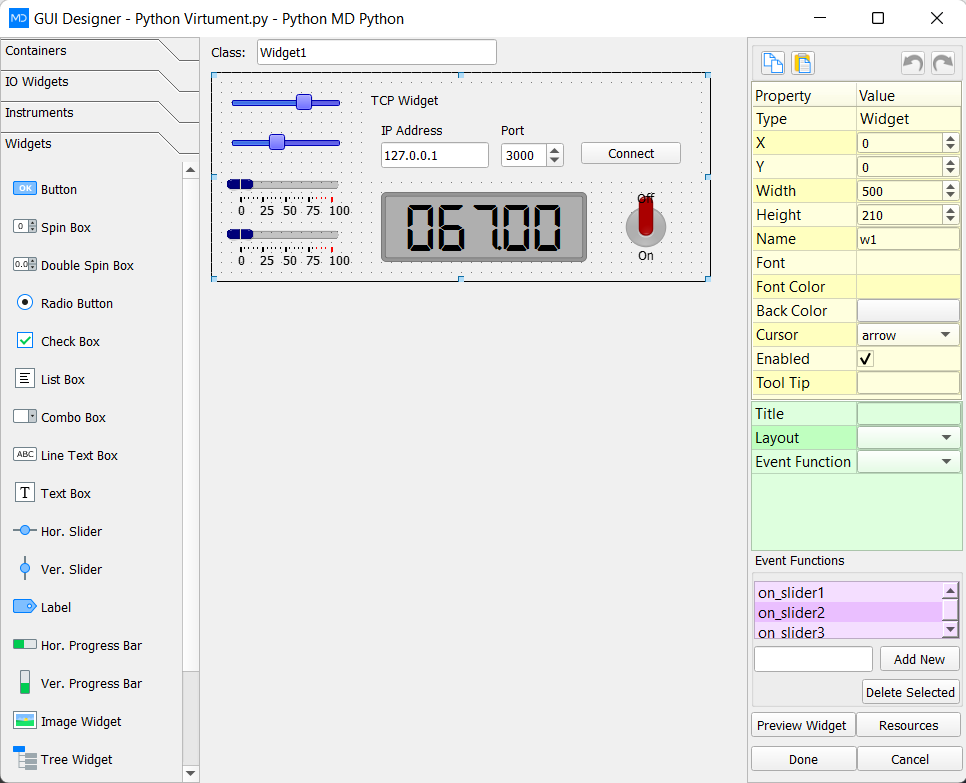
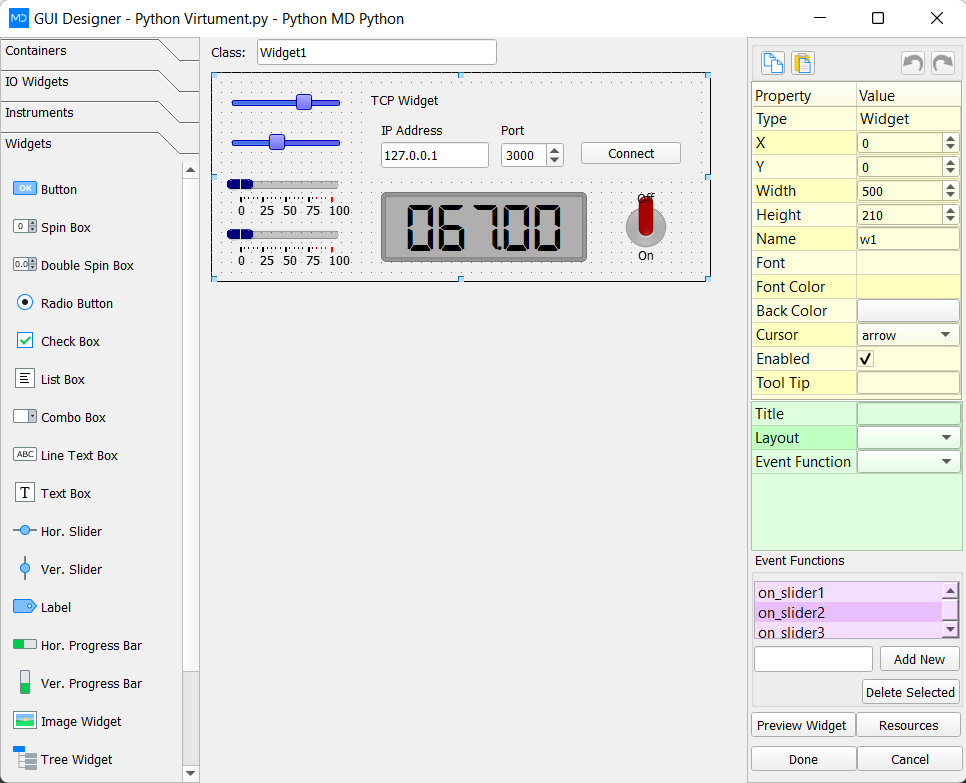
The LabDeck Tkinter GUI designer is the full tool. The 12 products here split the job: forms, CustomTkinter themes, a widget palette, grid layout, event bindings, menus and dialogs, canvas drawing, data tables, charts, styles, multi-window scaffolds and a packager.
A table or a chart can point at a MatDeck vector, so the window is showing the same numbers as the sheet. Packaging uses that generated Python rather than a second layout you have to keep identical by hand.
Products in this group (12)
- Tkinter Form Designer — Lay out Tkinter forms visually and keep the generated Python.
- CustomTkinter Theme Studio — Themes, colours and corner radius for CustomTkinter apps.
- Widget Palette Pack — Buttons, entries, labels and frames ready to drop on a form.
- Layout Grid Assistant — Rows, columns and weights that stay aligned when the window resizes.
- Event Binding Editor — Click, key and command bindings written next to the widget.
- Dialog and Menu Builder — Menus, dialogs and message boxes without hand-written boilerplate.
- Canvas Drawing Toolkit — Shapes, lines and live drawings on a Tkinter canvas.
- Data-bound Table Widget — Tables that show channel or sheet data inside the GUI.
- Chart Widget for Tkinter — Line and bar charts embedded in a Tkinter window.
- Style and Theme Exporter — Save a look and apply it to the next Tkinter project.
- Multi-window App Scaffold — Main window, child windows and a shared state object.
- Tkinter App Packager — Package the designed GUI as a distributable application.